
Company Page
Updated: Jun 26, 2026
- Visit your company LinkedIn page (whilst logged in)
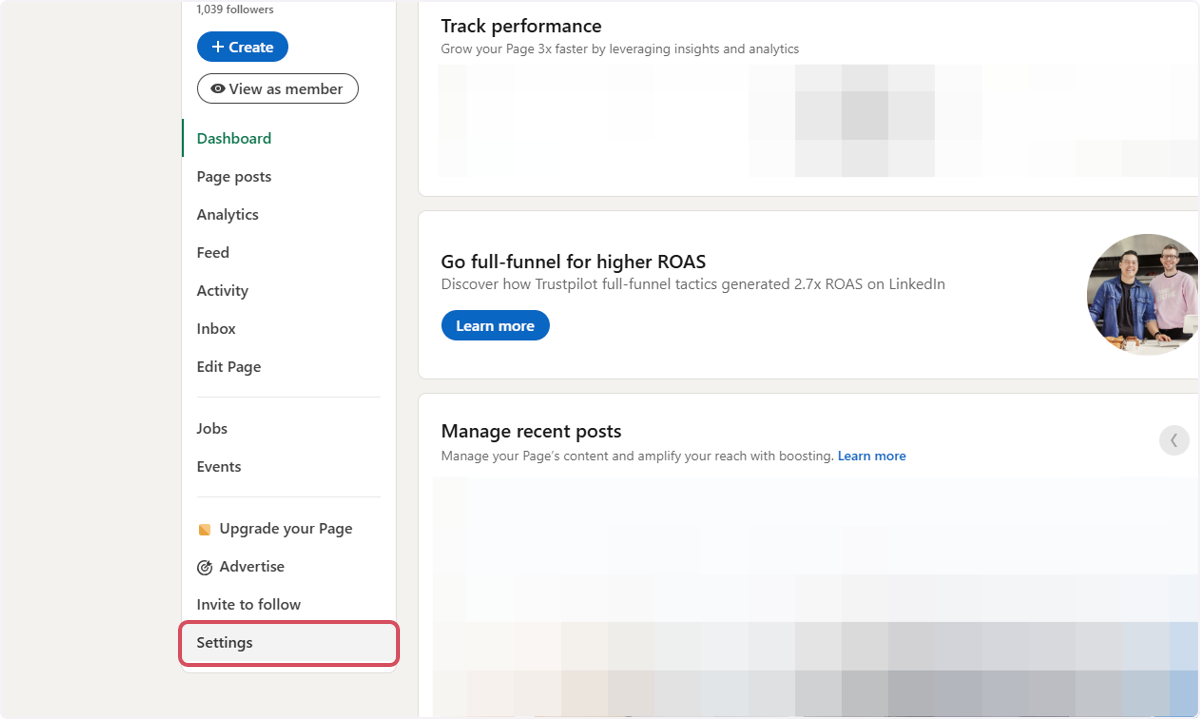
- Click on Settings
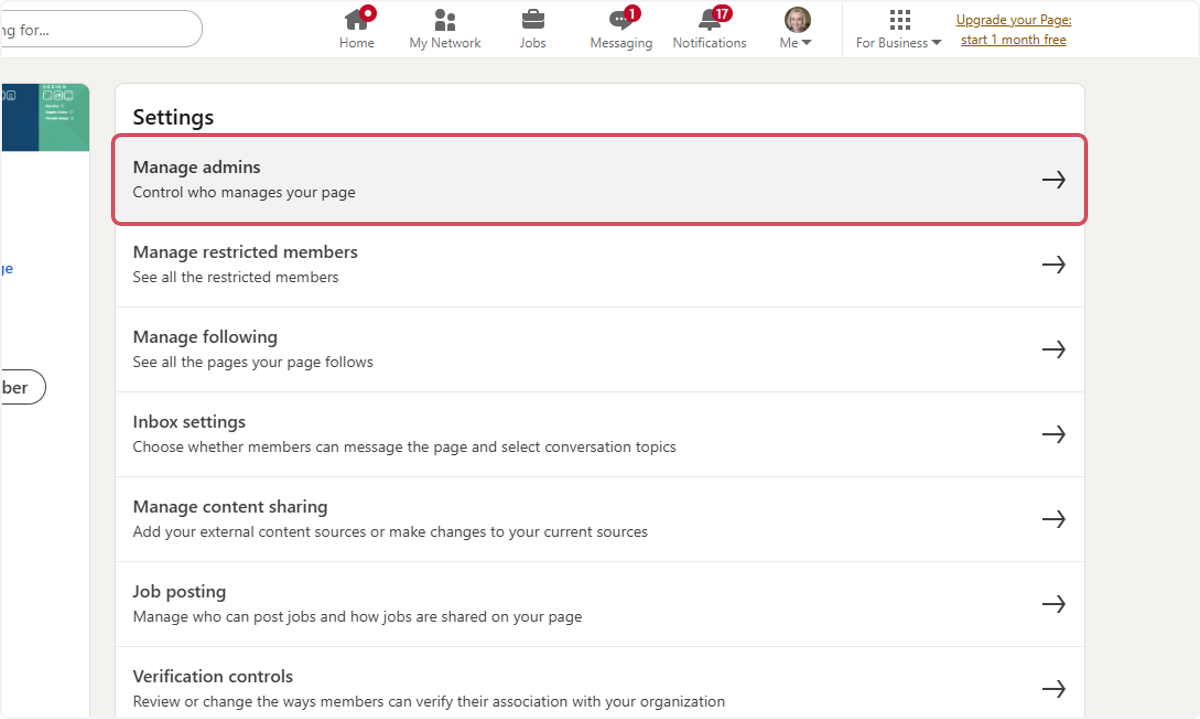
- Click on Manage admins…
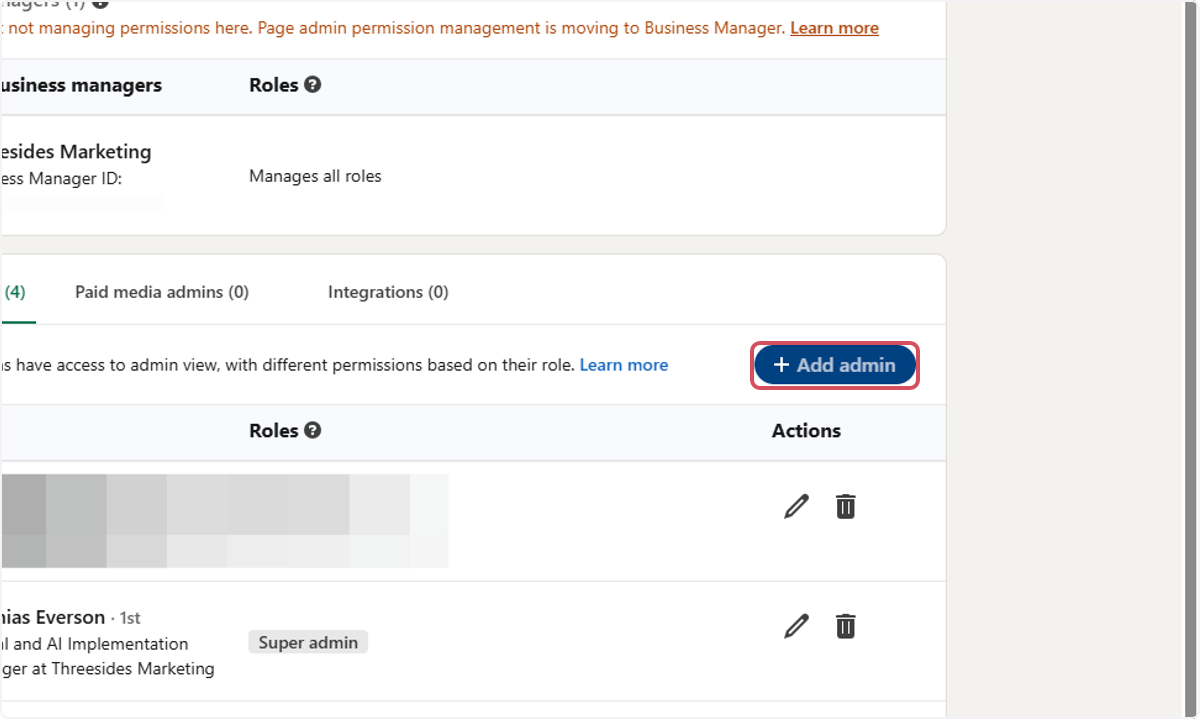
- Click on Add admin
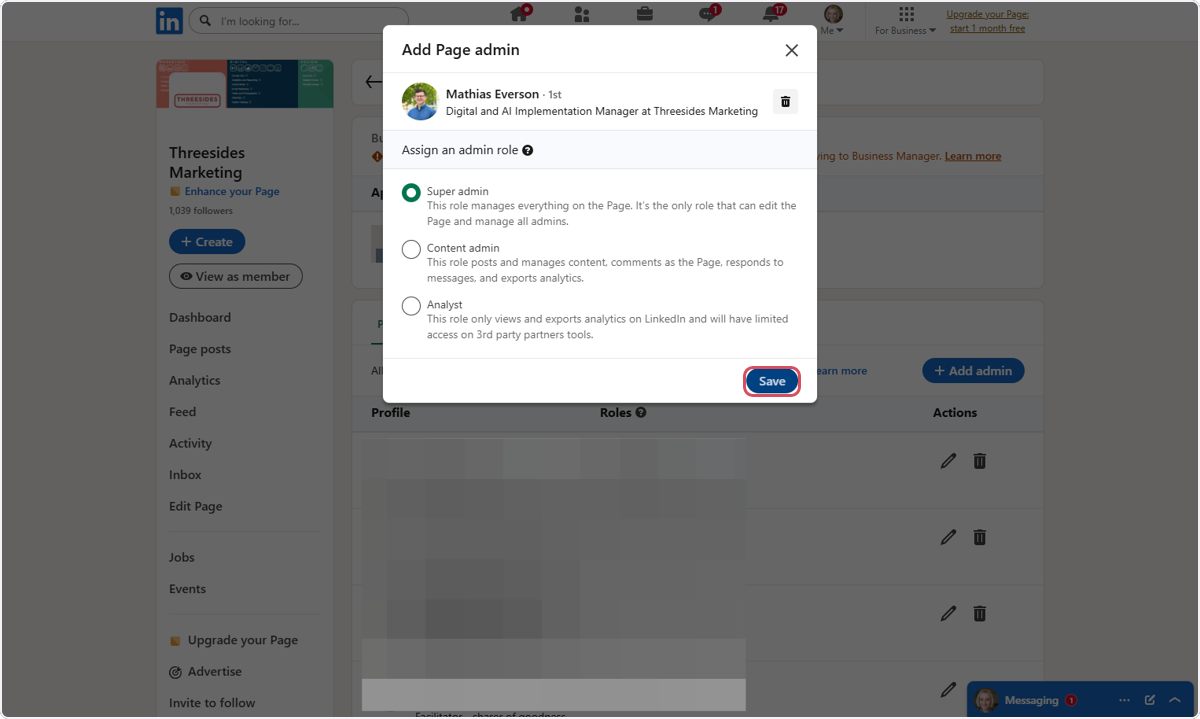
- Search for Mathias Everson and Rachel Wright, then select them from the list

- Click on Save
Campaign Manager
- Visit LinkedIn Campaign Manager: linkedin.com/campaignmanager/accounts
If it is the first time you’ve advertised on LinkedIn, follow the prompts to setup an account - From the account overview page, select the account you would like to share
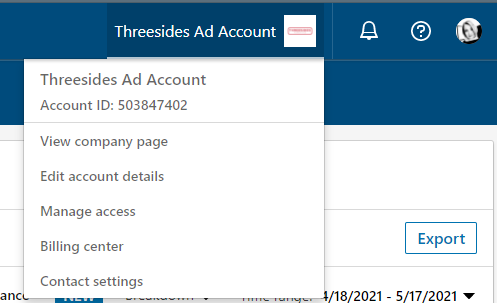
- In the top right-hand corner, click on the account name then ‘Manage access’
- From this pop-up, click ‘Edit’ on the right-hand side.Then click ‘Add User to account’
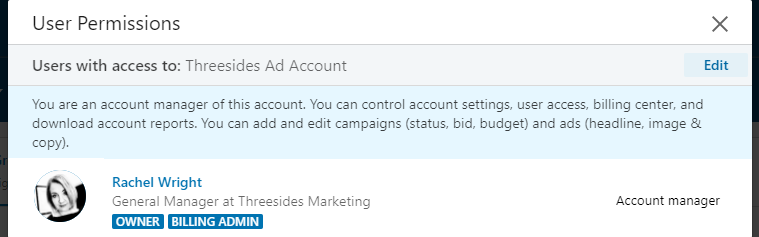

- Enter the following URL into the search box and click on Rachel’s profile: https://www.linkedin.com/in/wrightrach
- Select Account Manager from the permissions list and save changes.
