To add a new Person to your Business Manager follow these instructions:
1. Visit Meta Business Suite: https://business.facebook.com/
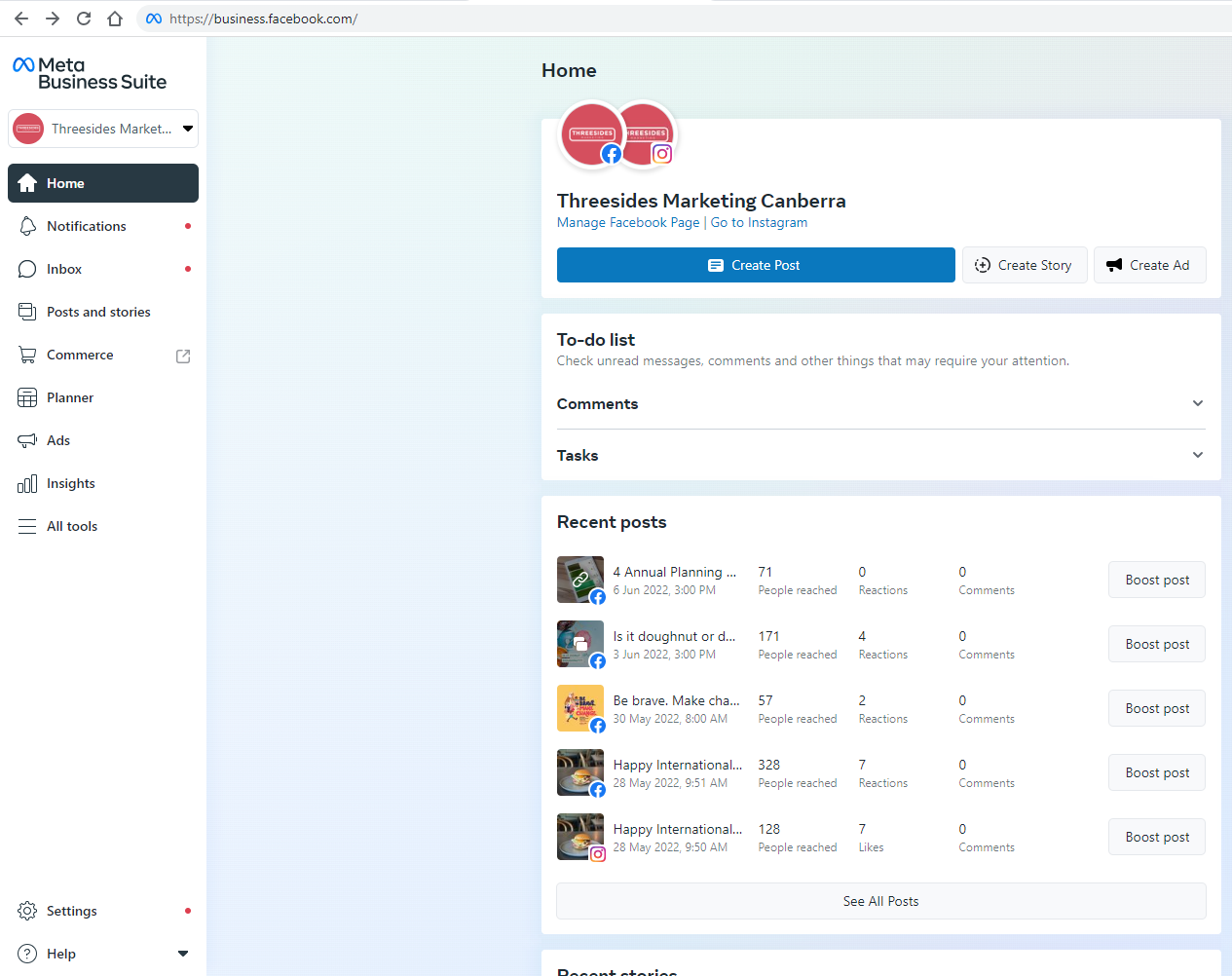
2. Click the “Settings” cog at the bottom left. Let the “People” section load.
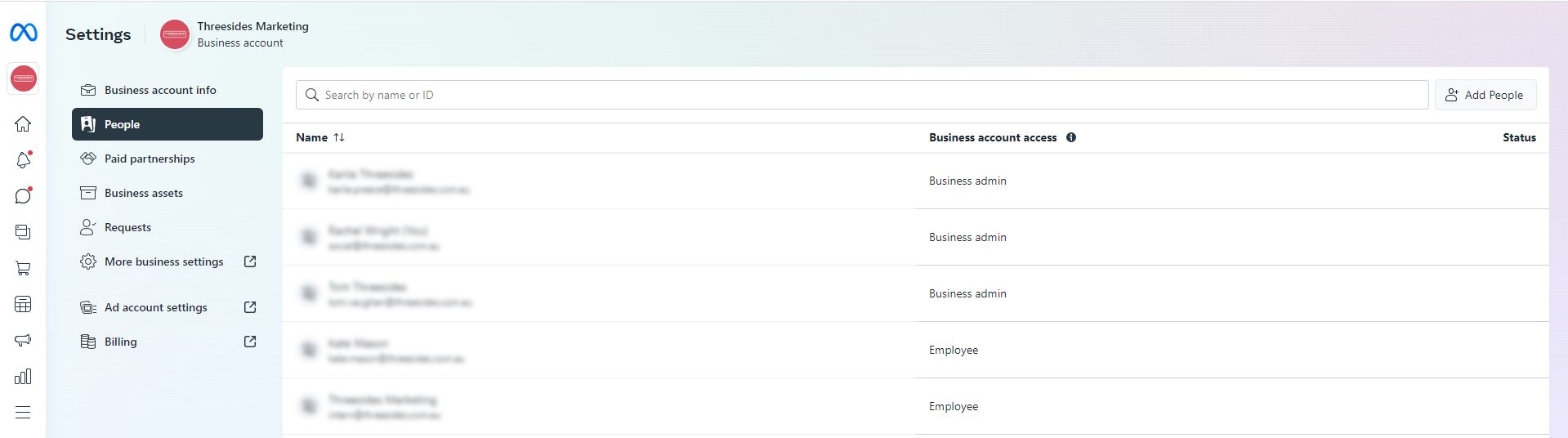
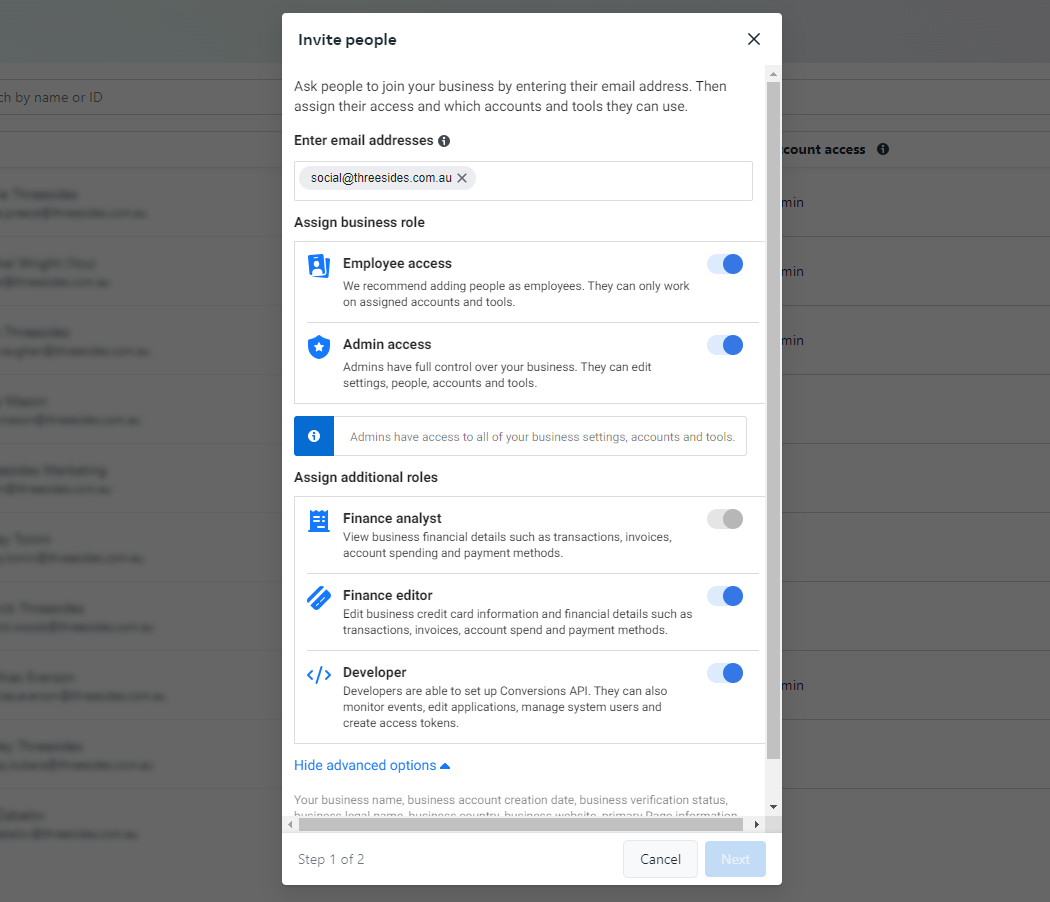
3. Click on “Add People” in the top right, and enter the following details. Note: This will give full access to your Meta Business Manger. Provide “Admin access” with the “Finance editor” and “Developer” advanced options.
Click “Next”
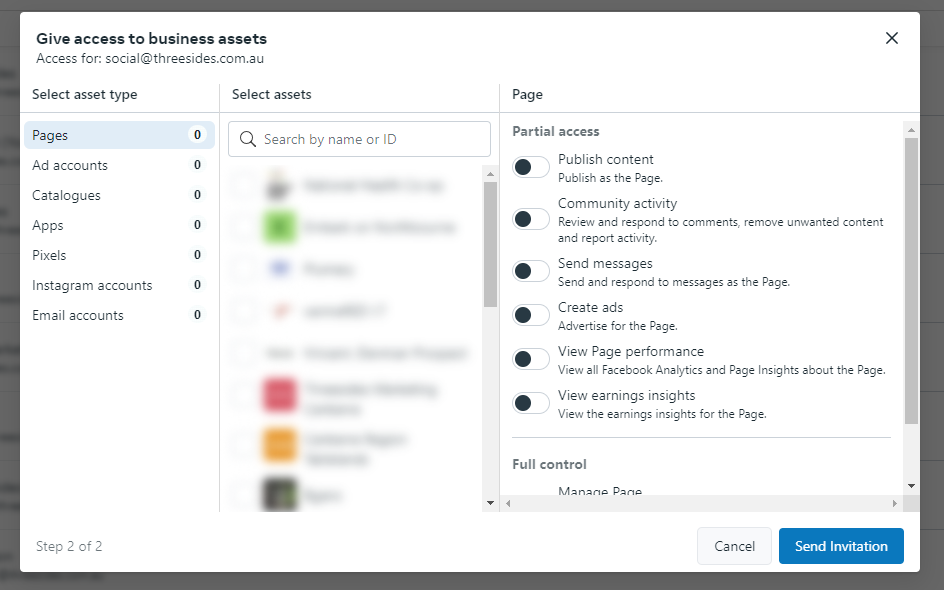
4. Click “Send Invitation”. Note: ‘full control’ needs to be selected from this view for all of the pages under ‘select asset type’.