
- Log into your Google Ads account at ads.google.com
- Navigate to the “Billing” spanner icon and select ‘Documents’.
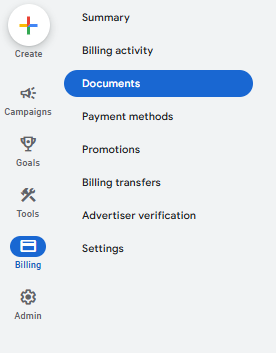
3. You will find all the listed billing information here for the account, and be able to download relevant tax invoices for each period of advertising.
